 FakeChat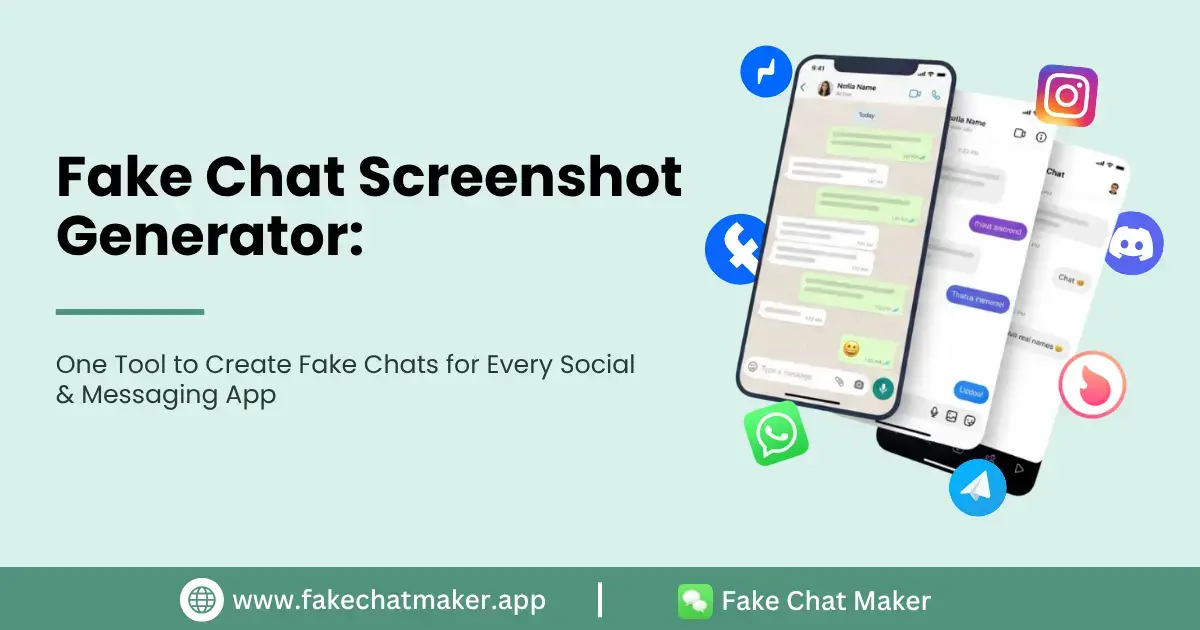
Introduction
Ever needed a chat screenshot that looks 100% real, but the conversation never actually happened? Maybe you're a content creator building a comedy skit, a designer testing a messaging app UI, or someone who just wants to prank a friend with a hilarious fake text exchange. Whatever the reason, typing out a real conversation and screenshotting it is slow, clunky, and never looks quite right.
That's where a fake chat screenshot generator comes in. Instead of juggling ten different apps, custom fonts, and manual photo editing, a good fake chat generator lets you build a realistic-looking conversation — usernames, timestamps, read receipts, avatars, and all — in a few clicks. With Fake Chat Maker, you can generate believable fake chat screenshots for WhatsApp, Instagram, Snapchat, Messenger, Facebook, Discord, Telegram, Tinder, Slack, and standard phone text messages, all from a single dashboard.
In this guide, we'll break down what a fake chat screenshot generator actually is, why so many creators rely on one, how to use it platform by platform, and — just as importantly — how to use it responsibly.
What Is a Fake Chat Screenshot Generator?
A fake chat screenshot generator is an online tool that recreates the exact look and feel of a real messaging app interface, letting you type in your own custom text, names, photos, and timestamps to generate a screenshot-style image. It's not "hacking" anyone's real account or intercepting real messages — it's a design tool that mimics the visual layout of platforms like WhatsApp or Instagram DMs so you can build a completely fictional (but visually convincing) conversation from scratch.
Think of it the same way a graphic designer uses a mockup template. You're not editing a real chat; you're building a new one inside a template that looks identical to the real app.
People search for this kind of tool using all kinds of related terms — fake chat generator, wa fake chat, telegram fake chat, fake instagram chat screenshot — but they're all describing the same core idea: a generator that produces a chat screenshot that looks authentic without needing an actual conversation to have taken place.
Why Creators Are Turning to Fake Chat Generators
This isn't a niche hobby anymore. Messaging apps are the primary way most people communicate online today. Recent Pew Research Center data shows that YouTube and Facebook remain the most widely used online platforms among U.S. adults, with Instagram used by roughly half of all Americans. When your audience lives inside these apps every day, a chat-style visual instantly feels familiar and relatable — which is exactly why it performs so well in content.
Here's who's actually using fake chat generators day to day:
- Content creators and meme pages, building relatable, screenshot-style comedy content that gets shared because it looks like a real DM exchange.
- UI/UX designers and app developers, testing how a messaging interface looks with sample data before real users ever touch it.
- Writers and storyboard artists, visualizing dialogue-heavy scenes for scripts, fan fiction, or presentations.
- Marketers, building demo screenshots for app store listings, ad creatives, or product explainer images.
- Teachers and trainers, creating safe, fictional examples to teach digital literacy without exposing real conversations.
- Friends pulling harmless pranks, where everyone involved knows it's a joke.
Explore Every Platform: How the Generator Handles Each App
The biggest advantage of a true multi-platform fake chat generator over a single-app tool is coverage. You shouldn't need several different websites bookmarked just because you want one screenshot styled like WhatsApp and another styled like Slack. Here's how it breaks down by platform.
WhatsApp remains one of the most recognizable chat interfaces in the world, which makes a wa fake chat especially convincing for pranks, storytelling, or content mockups. You can control the contact name, profile photo, online status, message timestamps, and those familiar blue double-tick read receipts. The WhatsApp fake chat generator rebuilds the interface pixel-for-pixel, right down to the status bar and typing indicator.
Instagram DMs have their own distinct look — rounded bubbles, story reply threads, and that signature gradient header. If you're after a fake Instagram chat screenshot for a meme or storytelling post, the Instagram fake chat generator lets you customize usernames, verified badges, profile pictures, and message timing so the final image matches what your audience already recognizes from the real app.
Snapchat
Snapchat's chat UI is more playful, with emojis, streak counters, and disappearing-message cues baked into the design. The Snapchat fake chat generator is popular with younger creators building comedic skits or "storytime" content where the chat itself is part of the joke.
Messenger
Facebook Messenger has a slightly different bubble style and reaction system compared to Instagram. The Messenger fake chat generator replicates the rounded bubble design, reaction emojis, and "Active now" status indicators — all the small details that make a screenshot convincing.
Facebook's own messaging and comment-style layouts still show up constantly in memes and screenshots shared across the platform. A Facebook fake chat lets you recreate that familiar look for parody posts, group-chat jokes, or mockups without needing a real Facebook conversation to work from.
Telegram
A Telegram fake chat is especially useful for creators building tech-review content, crypto or trading meme screenshots, or dramatized "leaked messages" storytelling. Telegram's clean, minimalist interface with its signature blue checkmarks is instantly recognizable to a huge global audience.
Discord
Discord's server-and-channel layout, role-colored usernames, and dark theme give it a very distinct look. A fake Discord chat is a favorite for gaming content, community in-jokes, and mock announcements styled like a real server.
Tinder
Tinder's match-and-chat interface — with its card-swipe branding and match banner — is instantly recognizable, which makes it a popular choice for comedic "worst dating app opener" content and relatable dating-app memes. A fake Tinder chat delivers that instantly.
Slack
Slack's threaded, work-channel look is different from consumer chat apps, with its own font, emoji reactions, and channel headers. A fake Slack chat is a go-to for workplace comedy content and mockups of "that one coworker" conversation.
Phone Text Messages
Beyond app-specific chats, the tool also recreates the standard iOS/Android text messaging look — green and blue bubbles, carrier and signal bar, contact name, and timestamps — for classic "screenshot of a text" content. This is what people mean when they search for a fake text message generator.
Want the full walkthrough on building any of these from scratch? The how it works page breaks the entire process down step by step.
How the Fake Chat Screenshot Generator Works
You don't need any design experience to get a realistic result. The general workflow looks like this:
- Pick your platform — choose from WhatsApp, Instagram, Snapchat, Messenger, Facebook, Discord, Telegram, Tinder, Slack, or standard phone messages.
- Set up your contact(s) — add a name, profile photo, and online status.
- Write the conversation — type each message and assign it to either side of the chat.
- Fine-tune the details — adjust timestamps, read receipts, typing indicators, and message order until it feels natural.
- Export your screenshot — download the finished image and use it however you need.
For a closer look at everything the tool supports, from group chats to voice-note bubbles, check out the features page.
Real-World Ways People Actually Use Fake Chat Screenshots
The most common (and completely harmless) use cases include:
- Comedy and meme content built around a relatable, screenshot-style joke.
- App and product mockups for pitch decks, portfolios, or investor demos.
- Fiction and roleplay — writers visualizing text-based scenes for a story or script.
- Harmless pranks between friends who both know it's a joke.
- Digital literacy training, showing students or employees what a phishing or scam message might look like, without using anyone's real data.
Responsible & Ethical Use: What to Keep in Mind
A fake chat screenshot generator is a creative tool, but like any tool that mimics reality convincingly, it comes with some responsibility. A few important guardrails worth keeping in mind:
- Don't use fake chats to impersonate real people for deception or fraud. Fabricated conversations designed to trick someone into believing something false — especially anything involving money — cross the line from content creation into fraud. The FTC's consumer guidance explains how scammers routinely build fake profiles and conversations on social and messaging platforms. Always disclose that content is fictional when there's any chance it could be mistaken for real.
- Think about who might see it. If your fake chat content could reach younger audiences, it's worth being extra careful — organizations like Common Sense Media actively research how young people interpret realistic fake or AI-generated content online, and offer free resources for building better digital literacy around exactly this kind of content.
- Respect copyright and platform trademarks. Recreating a platform's visual style for parody, commentary, or personal/creative use generally falls under fair use principles. The U.S. Copyright Office's Fair Use Index is a solid, official starting point if you're building anything commercial.
Used this way — for comedy, storytelling, design, or harmless pranks between people who are in on the joke — a fake chat generator is no different from any other creative or mockup tool. The key is intent: create, don't deceive.
Tips for Making Ultra-Realistic Fake Chat Screenshots
Want your screenshots to actually pass a second glance? A few small details make a huge difference:
- Vary your message timing. Real conversations don't have perfectly even gaps — mix quick back-and-forth replies with longer pauses.
- Keep message length natural. Real texting includes short replies, typos, and casual phrasing, not perfectly punctuated sentences.
- Match the platform's tone. A Slack message reads differently than a Snapchat message. Keep the vocabulary and formatting consistent with where the "conversation" is happening.
- Use realistic usernames and photos. Generic stock photos or placeholder names are usually the first thing that gives a fake screenshot away.
- Don't overload read receipts. Real chats don't always show "seen" instantly — a slight delay looks far more believable.
Small touches like these are exactly what separate an amateur mockup from something that could pass for a genuine screenshot, which is why the platform-specific templates matter so much more than a generic, one-size-fits-all chat box.
Why a Multi-Platform Generator Beats Using Separate Tools
Most people start their search looking for one specific thing — a wa fake chat, a fake instagram chat screenshot, or a Discord-style mockup — and end up bouncing between three or four different single-purpose websites to get everything they need. That approach creates a few real problems:
- Inconsistent quality. Each standalone tool has its own learning curve, its own bugs, and its own outdated interface that no longer matches what the real app currently looks like.
- Wasted time. Re-learning a new control panel for every platform adds friction to what should be a five-minute task.
- Broken visual consistency. If you're building a series of chat mockups for a video or a portfolio, switching tools mid-project often means the fonts, spacing, and export quality don't match from one screenshot to the next.
A single generator that covers WhatsApp, Instagram, Snapchat, Messenger, Facebook, Discord, Telegram, Tinder, Slack, and phone text messages under one roof solves all three problems at once. You learn the interface once, and every platform template is built to the same standard, so your fifth screenshot looks just as sharp and consistent as your first.
Conclusion
Whether you need a wa fake chat for a comedy skit, a fake Instagram chat screenshot for a meme, or a Slack-style mockup for a workplace joke, the tool is built to get you from blank screen to realistic screenshot in minutes — no design skills required. Head over to Fake Chat Maker and start building your first conversation for free.